Which Cloud Gaming Services Let You Download Games for Offline Play
Only Game Pass and Utomik pair streaming with real local downloads.
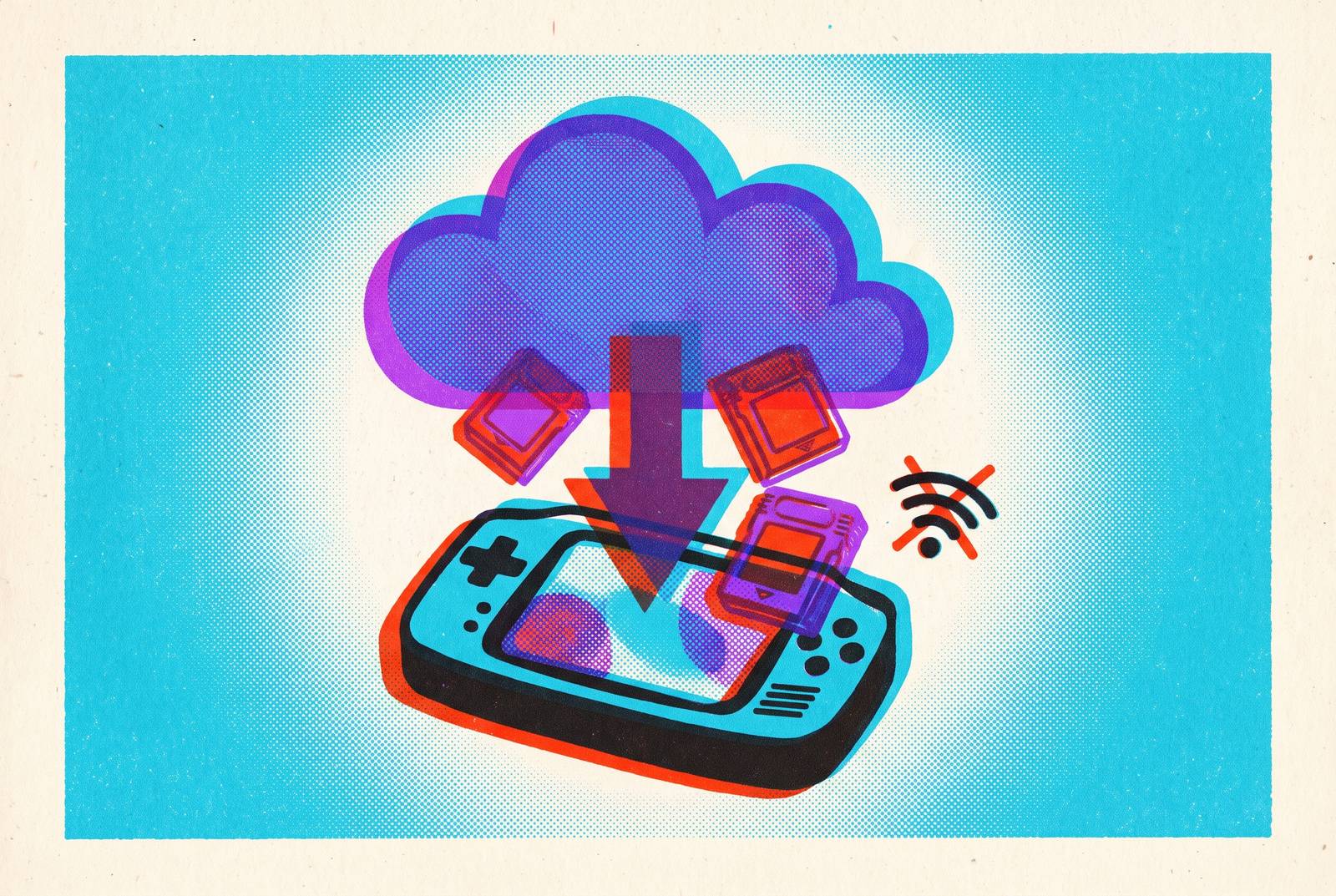
Cloud gaming cannot run offline, but a subscription that includes cloud gaming may also let you download games. Xbox Game Pass is the clearest example, while Utomik puts the move from streaming to local play at the heart of its service. The useful distinction is not which service has an “offline streaming” button, but which gives you a separate local installation, and whether your device can run it.
Why cloud gaming is architecturally built to require a connection, and what that means for offline play
Can you play offline? It is a reasonable question, especially when a service gives you access to games you already own. The answer begins with where the game runs. In cloud gaming, a remote server runs the game and streams video to your device. Without a connection, your device cannot reach the machine doing the work.
A stream does not become a local installation simply because the game is available through your subscription. Whether that subscription also includes download rights therefore matters. Those rights are a separate part of the service, even when both ways to play share the same name.
This distinction separates three product types often grouped together. Pure streaming services keep the game on a server, while hybrid subscriptions combine streaming with local downloads. Remote-play tools let you use hardware you already own from another device. The location of the game decides what “offline” can mean.
Pure streaming services and why none of them offer offline play
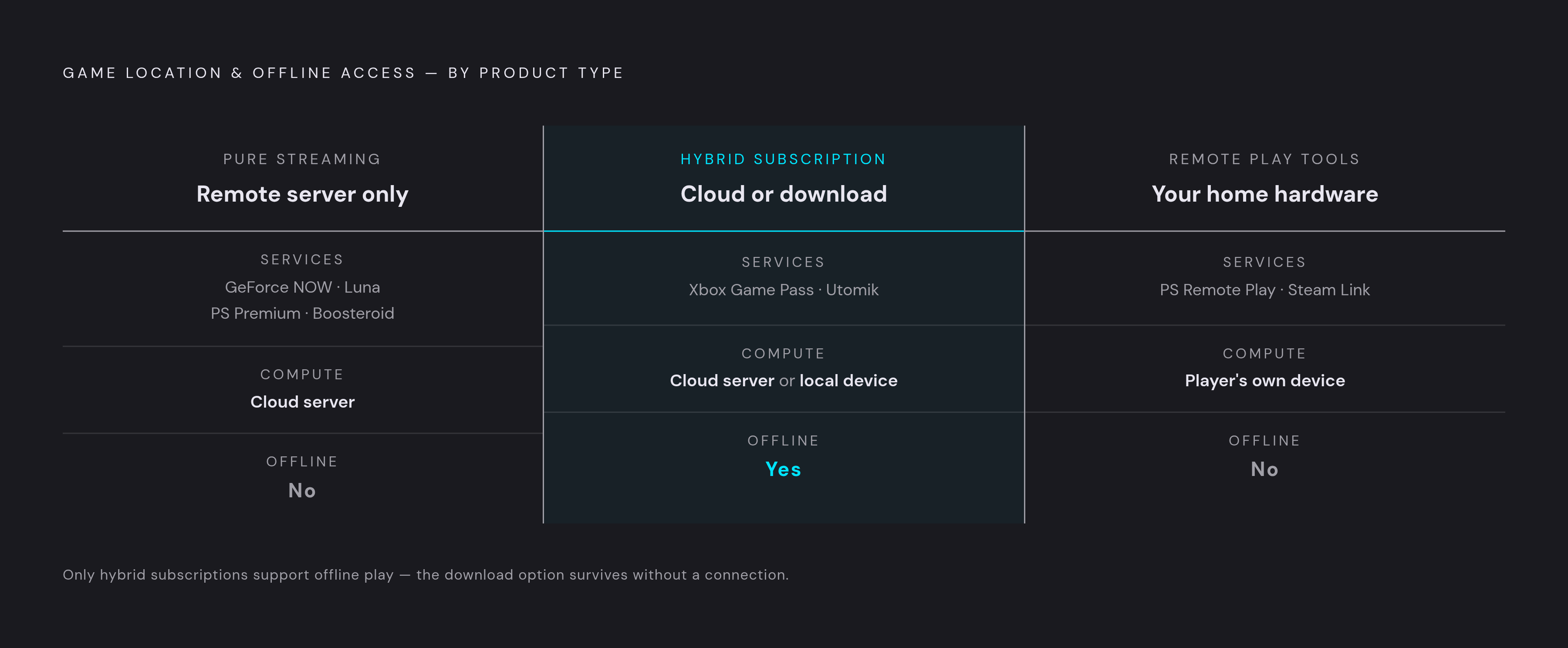
NVIDIA GeForce NOW, PlayStation Plus Premium’s cloud streaming layer, Amazon Luna’s streaming offering, and Boosteroid all require a connection. None of those streaming layers provides a way to download the streamed game and run it locally. That is not a judgment about their usefulness. Their purpose is to let a remote machine run the game, rather than require the device in your hands to do so.
GeForce NOW makes the distinction particularly easy to miss because it streams games players already own on Steam, Epic, GOG, Ubisoft Connect, and other supported stores. The service gains the right to stream supported games from NVIDIA’s servers. Some games you own cannot be streamed. Publishers can withdraw titles from the supported list.
But could you download an owned game through Steam and launch it offline? Yes, through the underlying store’s local download. GeForce NOW plays no role in that installation. The distinction is practical rather than pedantic because owning a game, being allowed to stream it, and having hardware that can run it locally are separate conditions. A streaming subscription does not collapse them into one.
PlayStation Plus Premium presents a similar boundary within a subscription. It adds cloud streaming of PS3, PS4, and PS5 titles, as well as classic PS1/PS2 titles, on top of the lower tiers. Streaming and download rights remain separate entitlements. Premium does not extend download access beyond what the Extra tier already provides, so access to a streamed title should not be read as permission to install it.
Boosteroid has no download layer of any kind. Luna needs a qualification because, although it is primarily a streaming service, it also includes a rotating selection of downloadable PC titles for Prime members. That selection is distinct from an offline mode for streamed games. A player relying on either service’s streaming access has no local fallback within that stream.
Xbox Game Pass and the clearest hybrid model available
Subscribers can stream Game Pass titles from the cloud or download and install them on an Xbox console or Windows PC. The two modes operate under separate rules. A locally installed game runs on the player’s hardware, while its streamed counterpart depends on the cloud connection.
That separation now has a direct effect on available playtime. Xbox Wire announced that, starting in November 2026, Game Pass Ultimate gets 15 hours of cloud gaming per month, and lower tiers get fewer hours. Only streaming is metered under that policy. Downloaded Game Pass titles are not subject to monthly cloud hour limits and can play normally offline, subject to a subscription check-in and a one-active-device rule on PC.
Offline access through a subscription is not the same as abandoning subscription conditions altogether. Even so, the cloud allowance does not govern time spent in a local installation.
The October 2026 Xbox console update makes that transition more deliberate. Its background-download feature lets a local download run while the player streams a game through Xbox Cloud Gaming, when network conditions allow. The title then appears automatically in the player’s Games section.
Together, the cap and the download feature reposition cloud play as a supplementary mode. It remains useful for travel, switching devices, or trying a game before committing to a full download. This hybrid only delivers an offline alternative when the subscriber has an Xbox console or Windows PC capable of hosting the game.
Utomik as the only service that explicitly makes stream-then-download its core feature
Utomik makes that handoff its defining feature rather than simply offering two ways to access a subscription. Among the services considered here, it explicitly puts stream-then-download at the centre of its design. A player can start a game immediately through streaming, then download the full game locally to continue offline.
That emphasis distinguishes it from the Game Pass model. Game Pass has separate streaming and download layers, and the console’s background-download feature helps link them. Utomik presents the transition itself as a primary reason to use the service. Its answer to connection dependence is not to make a stream work offline, but to move play onto local hardware.
Utomik leans heavily toward indie titles and has very few current AAA games, with its AAA presence limited to older classics. An integrated workflow cannot substitute for the games someone wants.
There is also a firm platform restriction. Utomik is Windows-only, excluding mobile and console players from this option entirely. Its offline capability therefore answers a specific need for Windows players whose tastes fit the library.
Shadow PC's different answer: a persistent cloud PC where "offline" means something else entirely
Shadow PC rents access to a persistent Windows 11 desktop in a data center. The player can install software from Steam, Epic, Battle.net, Ubisoft Connect, or other storefronts. This is closer to renting a remote computer than subscribing to a shelf of games.
What, then, does an offline game mean inside Shadow? A game installed there can run without connecting to the game’s own servers. The player still needs an internet connection to use Shadow’s cloud machine. These are two separate connections, and removing the game’s server requirement does not remove the remote desktop’s access requirement.
That makes Shadow useful for players who need a full desktop environment for mods, creative tools, and unrestricted installations. It does not solve disconnected play on the device in front of them. If that device loses its connection, the cloud PC becomes unreachable. The game may be installed, but it is installed elsewhere.
Shadow starts at a substantially higher monthly cost than the other options here, making it the most expensive in this comparison. Players also handle storage management themselves. Its flexibility comes with the responsibilities of a PC, without relocating that PC into the player’s home.
Remote play tools — PS Remote Play and Steam Link — and why they are a separate category
PS Remote Play and Steam Link stream from hardware the player already owns. The game lives on a home console or PC. These tools make that machine accessible from another device, which makes them useful for console and PC owners who want mobile access. They do not turn the receiving device into a local game host.
Sony’s free Remote Play client lets a player control a PS5 or PS4 from another device. The game is downloaded to the console, which must be powered on or in rest mode at home. Remote Play supplies the viewing and input pipe. It adds no subscription fee beyond whatever the player already pays for game access.
Device support is still a separate consideration. Sony removed support for Android 10 and macOS Big Sur in its September 2026 update, narrowing access even as the experience improved on supported hardware. Owning a compatible console is therefore only part of the arrangement. The device receiving the stream also needs to remain within the client’s supported range.
Steam Link works the same way with a home PC, even when the device receiving the stream is a phone. The game must be installed on the PC. The phone serves as a display terminal, so mobile access depends on reaching that machine. A capable host is essential, with 5 GHz Wi-Fi recommended for best performance and wired Ethernet preferred.
The October 22, 2026 update overhauled HDR Remote Play and added HDR support for Android 15-or-newer devices in the Steam Link beta app. That improves image quality without changing where the game runs. The model fits players who already have PC hardware and want ownership and fidelity.
Neither tool offers true offline play on the receiving device. The player’s local console or PC can play offline normally, with the remote viewing layer simply absent from that scenario. This is a useful distinction for someone deciding between remote access and a cloud subscription. One makes home hardware reachable, while the other provides access to hardware elsewhere.
Why the offline gap hits mobile players hardest, and what it means for choosing a service
Mobile-first players have the fewest options for playing offline because they lack the fallback available to console and PC owners. A phone cannot install the console-class games that these streaming services let it play. Cloud play is often its only access path. Consequently, a subscription described as hybrid may still function as streaming-only for the person using it exclusively on mobile.
The November 2026 Game Pass cap exposes that asymmetry. A subscriber with an Xbox Series X or Windows PC can move frequently played titles to local installations and preserve cloud hours for travel. A phone-only subscriber has no equivalent option.
For mobile players, the practical lesson is to treat Game Pass cloud hours as a finite resource. Cloud sessions can prioritise titles unlikely to be played on a home console, while downloads serve wherever a suitable local device is available. On GeForce NOW, Luna, and Boosteroid, mobile sessions remain connection-dependent. These services work well where Wi-Fi is reliable, but need a connection to work on commutes or while travelling.
Remote Play and Steam Link give players another way to play on mobile if they already own the home hardware needed to run the games. Their requirement to leave that hardware running belongs in the calculation for frequent travel. Utomik, by contrast, offers no mobile route because it is Windows-only. A download feature is useful only when its destination is a device the player can actually use.
The emerging workflow is therefore to stream a game to try or start it, then download it to a capable local device for continued play. That pattern can extend beyond formally hybrid services when a separate store supplies the installation. Cloud becomes the trial, and local hardware the commitment. For the player choosing a service, the decisive question is where the game can run when the connection ends.